Carter Automations

PRICING
Choose Your Plan
Basic PLAN
$47/m
Offer item you get lorem ipsum
Offer item you get lorem ipsum
Offer item you get lorem ipsum
Offer item you get lorem ipsum

No contracts - cancel anytime
PRO PLAN
$97/m
Offer item you get lorem ipsum
Offer item you get lorem ipsum
Offer item you get lorem ipsum
Offer item you get lorem ipsum
No contracts - cancel anytime
AGENCY PLAN
$147/m
Offer item you get lorem ipsum
Offer item you get lorem ipsum
Offer item you get lorem ipsum
Offer item you get lorem ipsum
No contracts - cancel anytime
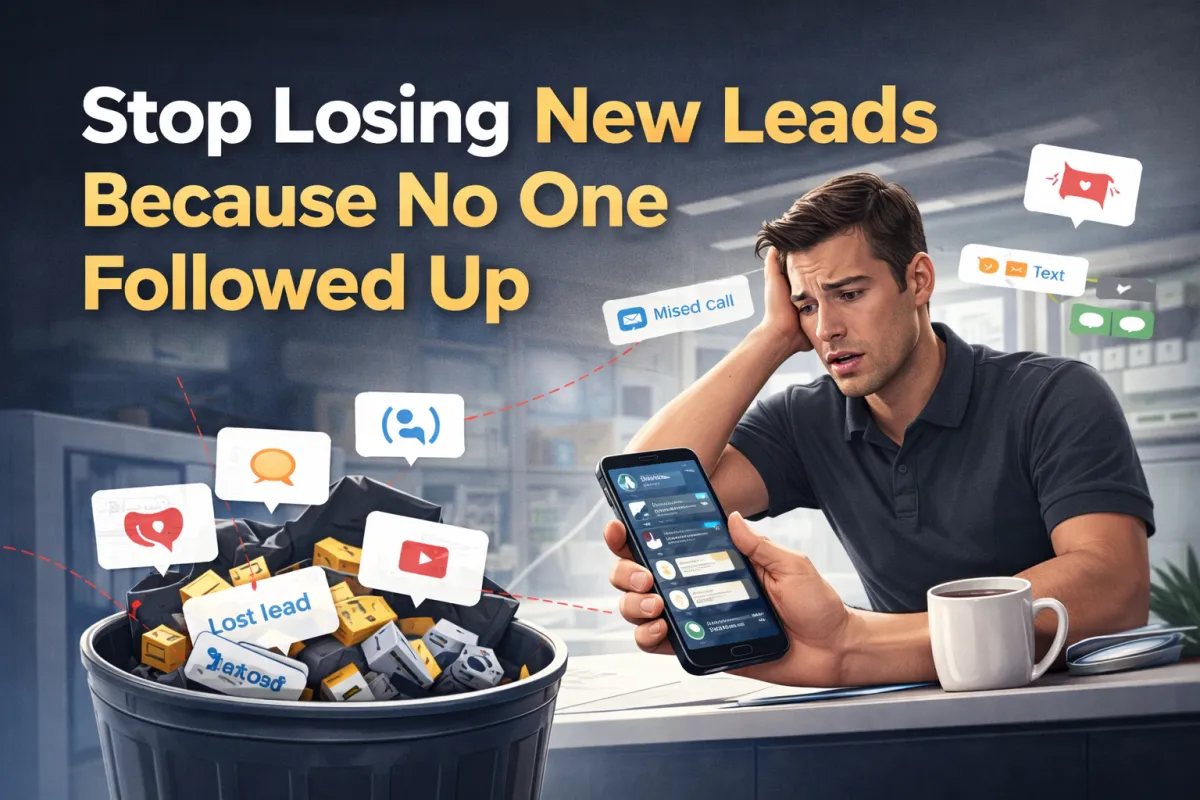
Are You Losing Leads Due To No Follow-up?
After Hours
Leads come in at 9pm and sit until morning.
Missed Calls
Front dest is busy and calls go to voicemali. no call back
Forgotten Forms
FOrms sit in front desk queue with no follow-up
No Tracking
No tracking, so you have no ide which leads were captured or lost
The Result? 30-40% of your marketing spend is wasted.
The Lead Response System
The Problem is
Leads come in at 9pm. They sit until morning. Competitors respond in 5 minutes. You lose the patient.
Front desk is with a patient. Call goes to voicemail. No callback happens. Lead goes cold.
Website form submitted. Front desk forgets to follow up. Lead books with someone else.

The result? 30-40% of your marketing spend is wasted.
How it works:
We fix that.
Audit tells what's actually happening
Confirm what's broken
Fix only what's proven
PRICING
Choose Your Plan
Lead capture Reality Check
$47/m
Offer item you get lorem ipsum
Offer item you get lorem ipsum
Offer item you get lorem ipsum
Offer item you get lorem ipsum
No contracts - cancel anytime
Visibility consistency reality check
$97/m
Offer item you get lorem ipsum
Offer item you get lorem ipsum
Offer item you get lorem ipsum
Offer item you get lorem ipsum
No contracts - cancel anytime
Lead capture monitoring
$147/m
Offer item you get lorem ipsum
Offer item you get lorem ipsum
Offer item you get lorem ipsum
Offer item you get lorem ipsum
No contracts - cancel anytime
What I Actually Do
No more missed opportunities. No more wondering where your next customer is coming from. No more hoping people will remember to leave reviews.
AI Enable Growth Infrastructure
100% risk free - 30 day money back guarantee

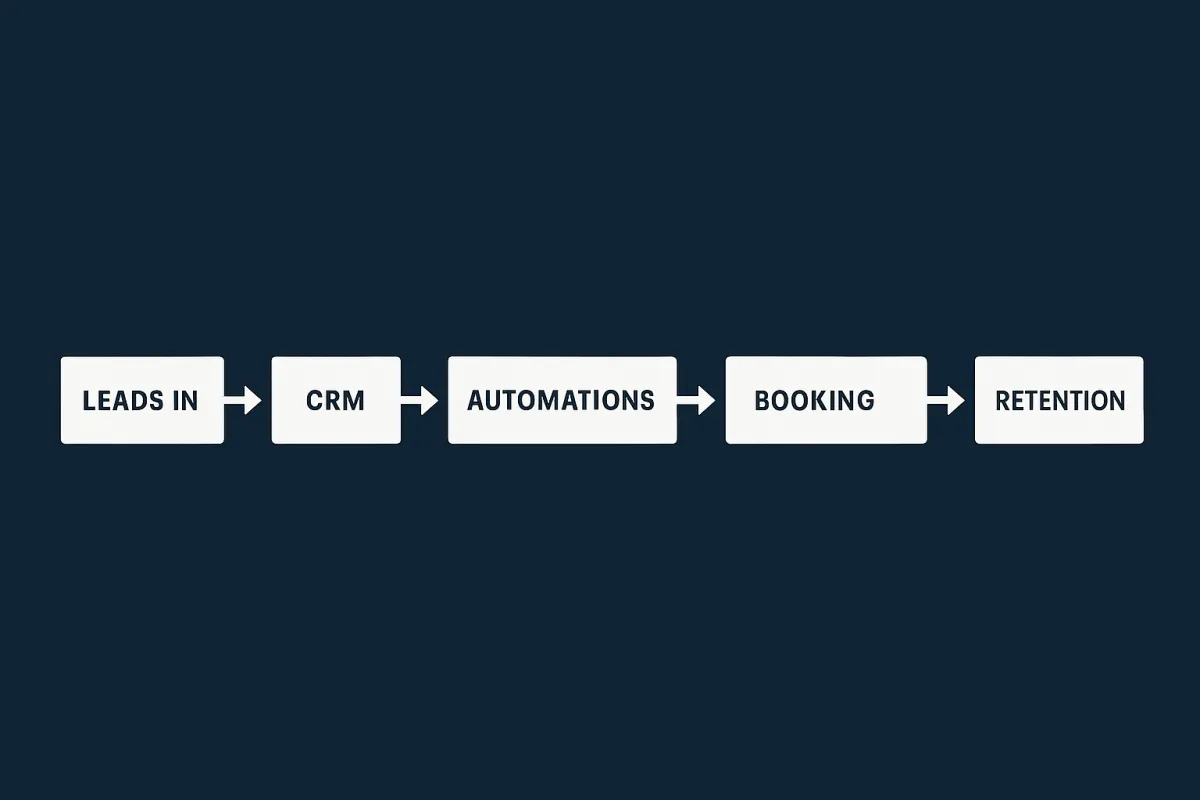
I install a simple system that:
Catches missed calls and texts
Responds instantly (without sounding robotic
Knows when a human steps in
Stops automation at the right time
Tracks where every lead actually is
Keeps undecided people warm instead of lost
Result: More customers, better reputation, less stress.

Lead Management
Every lead is tracked and followed up—automatically.

Google Review Automation
Every lead is tracked and followed up—automatically.
Automated Content Creation
Every lead is tracked and followed up—automatically.
Lead Tracking & Follow-Up
Every lead is tracked and followed up—automatically.
Real Solutions
Never Miss Another Lead
Never Miss Another Lead Every call, text, Facebook message, and website inquiry gets captured and followed up automatically—whether you're with a customer, in a meeting, or closed for the day. What this means: No more "sorry I missed your message" conversations. Every inquiry becomes a potentia
Follow-up That Works
Follow-Up That Actually Works Stop hoping prospects will call you back. Our systems send the right message at the right time until they book, buy, or clearly say no. What this means: Turn 30% more inquiries into paying customers without lifting a finger.
Turn Happy Customers into 5-Star Reviews
We ask for Google reviews at exactly the right moment—when customers are most satisfied—and make it easy for them to help your business grow. What this means: Climb Google rankings and attract more customers through social proof.
Bring Back Lost Customers
Automated "we miss you" campaigns that re-engage people who haven't been in for 60+ days with personalized offers and reminders. What this means: Generate revenue from customers you thought were gone forever.
Know What's Actually Making You Money
One simple dashboard that shows where leads come from, which marketing works, and how much revenue each automation generates. What this means: Stop wasting money on marketing that doesn't work.
Referal Systems That Get Used
Turn your best customers into your best marketers with automated referral programs that reward both parties. What this means: Your customers do your marketing for you.

I Don't Trust AI Without Sources
I asked AI a simple question and got a confident answer that was wrong. Not a big deal—until you realize this happens with medical, financial, and technical questions too. The issue isn’t mistakes. It... ...more
informational
March 20, 2026•2 min read
The Hidden Problem With AI Answers: Confidence Without Verification
New Blog Post Description ...more
informational
March 15, 2026•3 min read

AI Isn't The Advantage
AI is everywhere. The real edge is speed, trust, and human follow up that actually converts. leads!! ...more
informational
January 05, 2026•3 min read

The New Texas Law That Could Bankrupt Your Small Business With One Text Message
This article exposes how Texas’s new SB 140 law turns everyday marketing texts into a legal minefield for small businesses, with risks so high that one accidental message could cost thousands. ...more
informational
November 23, 2025•4 min read
Why Your Follow-Up System Is Costing You Customers
Discover why 60-80% of local service leads disappear and how broken follow-up systems cost thousands in lost revenue. Real case studies show how dance studios, med-spas, and wellness practices doubled... ...more
informational
November 01, 2025•6 min read
You Don't Need More Leads
Most business owners don’t need more leads — they need to stop the leaks, price smarter, and turn the business they already have into one that actually pays them. ...more
informational
October 25, 2025•6 min read
TESTIMONIALS
CUSTOMER REVIEWS
★★★★★
Working with David and Wendy was the best decision we ever made for our business. Their team of experienced consultants designed a system producing a 40% ROI.
Michael T.
★★★★★
Within a week, we had automations running that saved my staff 5+ hours a day.
Jamie R.
★★★★★
I was hesitant at first, but Carter Automations built a system that brought in 23 new customers in the first month. The automation paid for itself in two weeks.
Jessica D.
About Us
I help local business owners stop losing customers to broken systems and start growing with automation that actually works.
With 25+ years building business systems for major corporations like TransAmerica,
Deloitte,
Northrop Grumman,
and Monsanto
I know what works.
Now I bring that same strategic thinking to local businesses—without the corporate complexity or price tag.
I focus on the gaps that cost you the most money:
• Leads that never get followed up
• Happy customers who never leave reviews
• Past customers who disappear forever
• Manual processes that eat your time
My job is simple: Build systems that make you money while you focus on what you do best.
I am David Carter, and Iknow what it's like to juggle sales, operations, marketing, and delivery without a big team.
That's why we help business owners like you stop spinning plates—and start running smarter, more profitable companies.

Let’s Build You a Business That Doesn’t Steal Your Time.
Schedule Your Call Today!
FAQS
How quickly can I see results from implementing your automation solutions?
Most of our studio clients begin seeing significant time savings within the first 2-3 weeks of implementation. The complete transformation typically unfolds over 1-3 months as systems are fully optimized and your team adapts to the new workflows. Many studios report saving 15-20 hours per week on administrative tasks, allowing them to reinvest that time in teaching, program development, or personal well-being.
Do I need to be tech-savvy to use your automation systems?
Not at all. We specifically design our solutions with movement educators and studio owners in mind, knowing that technology should serve you, not complicate your life. Our implementation process includes personalized training for you and your staff, user-friendly interfaces, and ongoing support. The systems are built to be intuitive for everyone from tech novices to experts, with the complexity happening behind the scenes so your experience remains straightforward.
Will automation make my business feel less personal to my customers?
Quite the opposite! The businesses we work with consistently report stronger personal connections after implementing our systems. By automating repetitive tasks like scheduling, payment processing, and routine communications, you actually create more time and mental space for meaningful interactions with your community.